1、开机,按e字符进入编辑模式
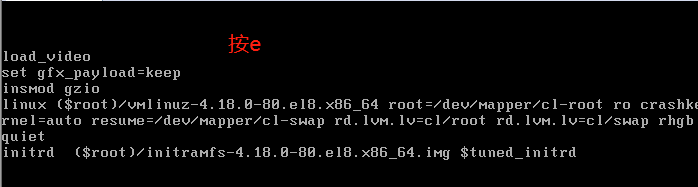
2、rd.break
在linux内核这行,按end键进入quiet 后,在quiet后加入rd.break
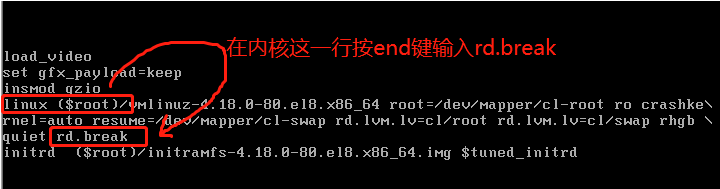
3、按ctrl+x进入swtch_root 模式
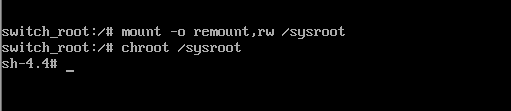
4、mount -o remount,rw /sysroot 重新挂载根分区
5、切换根分区 chroot /sysroot
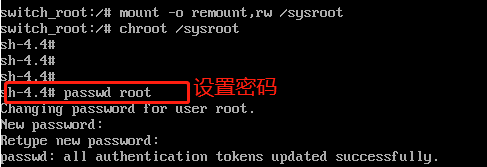
6、passwd root 修改root的密码 必须是8位以上复杂密码
7、touch /.autorelabel,selinux在重启后更新label

8、exit 退出
9、reboot 重启
10、使用新密码登陆即可