1、在grub启动菜单
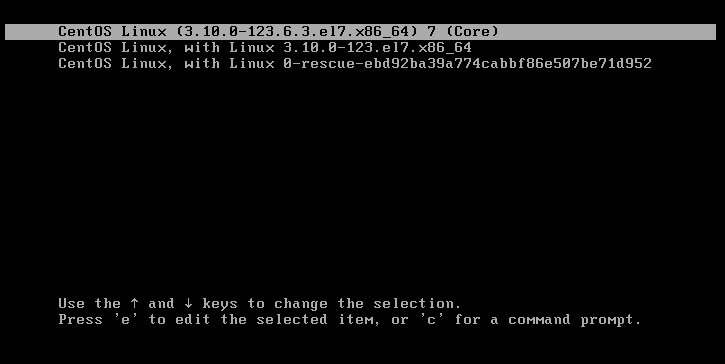
2、按‘e’键进入编辑模式
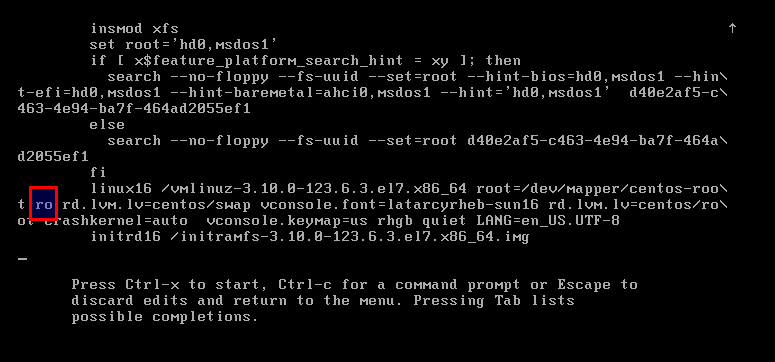
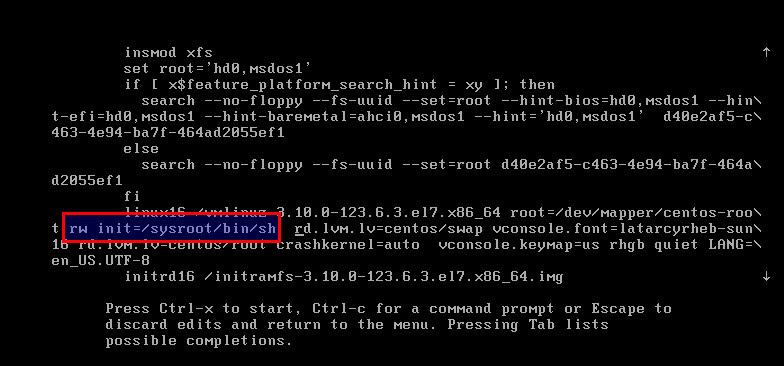
3、在‘linux16’行修改ro为rw init=/sysroot/bin/sh
4、按‘Ctrl+x’进入单用户模式
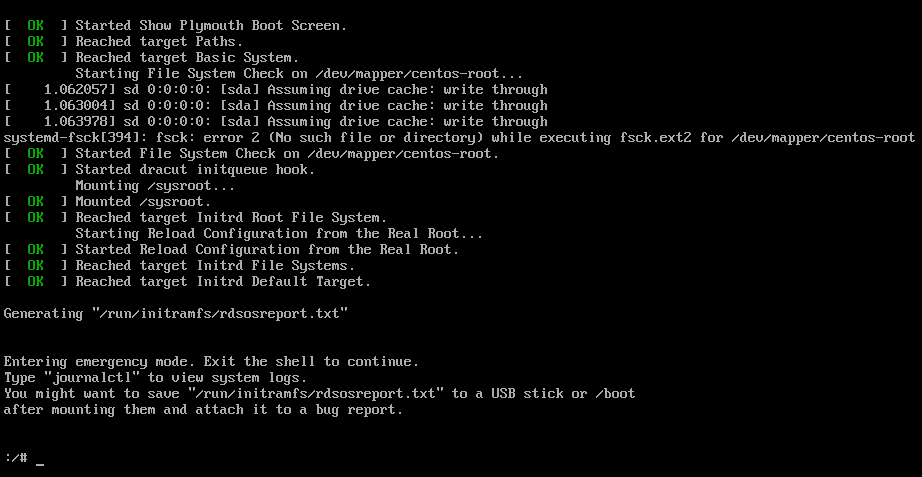
5、使用chroot进入系统
chroot /sysroot
6、重置密码
passwd root
7、更新selinux信息
touch /.autorelabel
8、退出chroot
exit 或 exec /sbin/init
9、重启系统
reboot
重新使用新的登录密码登录即可!

计算机网络/计算机科学与应用/系统/运维/开发
1、在grub启动菜单
2、按‘e’键进入编辑模式
3、在‘linux16’行修改ro为rw init=/sysroot/bin/sh
4、按‘Ctrl+x’进入单用户模式
5、使用chroot进入系统
chroot /sysroot
6、重置密码
passwd root
7、更新selinux信息
touch /.autorelabel
8、退出chroot
exit 或 exec /sbin/init
9、重启系统
reboot
重新使用新的登录密码登录即可!
人生于世,就得有点兴致,闲暇之时,或乐游山水、或尽享食味、或寄情岁时,它让我们的生活变得充盈。